Work with objects
This guide covers common browser tasks. Available buttons depend on your permissions.
Sign in
The deployment uses one of these sign-in methods:
- a packageR username and password
- single sign-on through a trusted reverse proxy
With proxy sign-in, the proxy supplies your identity. Do not send the identity header directly from an untrusted client.
Browse storage
The first page shows the configured storage root.
- In service-root mode, the first-level directories are S3 buckets
- In bucket mode,
/is the root of one S3 bucket
Use the directory list or breadcrumb path to navigate. packageR prevents a user scope from escaping its configured root.
Inspect and download an object
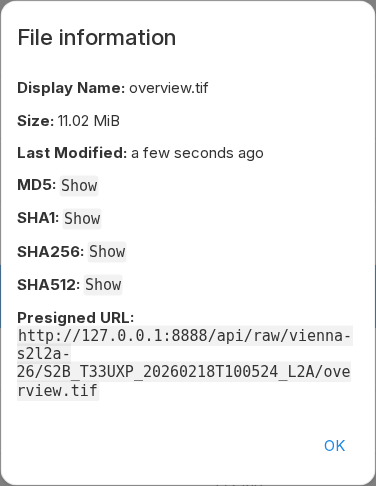
Open a file to use its viewer. Use Info to see its name, size, modification time, type, checksums, and presigned URL when available.
Open Info and select Show next to Presigned URL. The browser then reads the object from storage instead of streaming it through packageR. The URL is valid for at most seven days. Treat it as a temporary credential. Do not put it in logs or source code.
Upload data
Use Upload to select files or folders. You can also drag files into the file list. The browser uses resumable uploads for large files.
An upload first uses the local rclone cache. It is complete after rclone writes the object to S3. Contact the operator if the cache is full or not writable.
Manage objects
Select an item to use these actions:
- Rename changes its name in the same directory
- Copy creates a copy at the selected destination
- Move moves it to the selected destination
- Delete removes it
- New folder creates a directory marker when the object store needs one
S3 does not have a filesystem rename operation. A rename or move can copy the data and then delete the source. Large operations can take time and add storage request costs.
If an action is not available, your account does not have that permission. A
403 Forbidden response can also come from your scope, a path rule, or the S3
policy.
Supported previews
The built-in viewers support common text, image, audio, and video formats. packageR also previews TIFF, GeoTIFF, and COG files. It does not provide a general Parquet table viewer or a Zarr viewer.
See Share and preview data to use configured public shares, direct object URLs, and STAC catalog responses.